
Easily create & manage robust surveys.
Create robust, multi-page surveys and automatically compile data into a single results dashboard you can distribute to survey takers or use to gather insights and make decisions.
Three tools your team uses every week
Build, distribute, and analyze in one place.
Build & launch
Simple To Start, Intuitive To Take, & Results Compiled Automatically
Higher completion rates
Survey takers move quickly through questions because the interface gets out of the way. 14 question types, branching logic, automatic graphs, and a UX designed for non-technical participants, so more people finish, and your dataset is bigger.

Launch in days, not months
Skip the consultant. Choose a Ph.D.-prepared template, confirm it covers your needs, invite users, and go. Your team owns the survey end-to-end without a vendor in the loop.
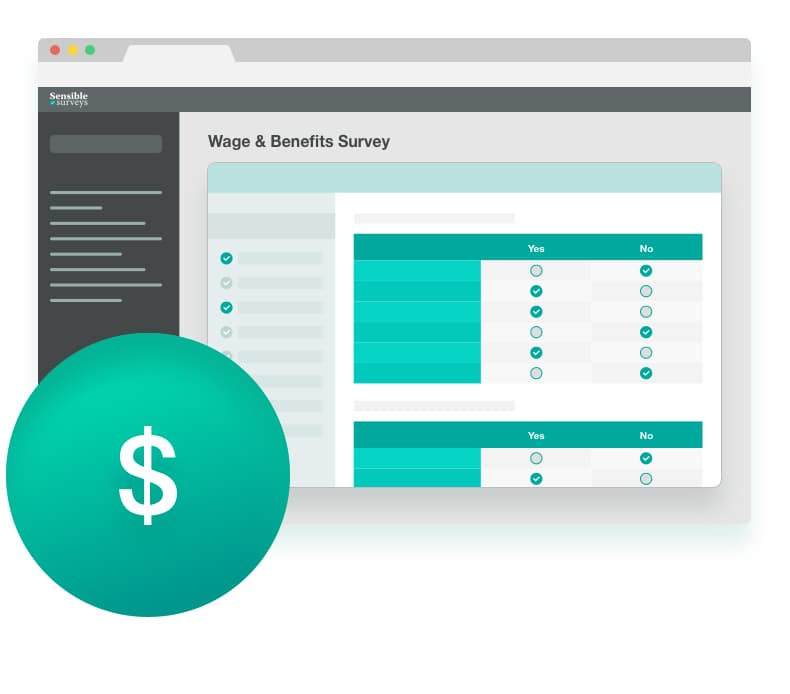
Manage participants without a spreadsheet
Track every invited participant, send automatic reminders, and bulk-upload entire lists. Stop maintaining a side spreadsheet of "who has and hasn't finished".
- Track invited survey takers’ progress
- Automatic reminders if not completed on time
- Bulk-upload survey takers
- Add or remove people easily
- Reset passwords
- View individual or compiled answers
Analyze & distribute
Analyze Complex Data
Filter, sort, and search. View top, middle, and bottom percentiles. Anonymize using Safe Harbor policies. Export to Excel or CSV.
- Filter, sort, and search
- View top, middle, and bottom percentiles
- Enable graphs and charts
- Compile data per survey or across a time period
- Anonymize via Safe Harbor
- Export to Excel or CSV
Manage Simultaneous Surveys
Run as many surveys as you want, tag users, set start and end dates, and pause or extend whenever you need to.
Distribute Results
Web-based analytics tool compiles results and does the analysis for you. Charts and graphs make data comprehension easy.
Feature questions
How long does setup take?
Most teams are sending their first survey within a week. If you’re using a pre-built template, you can launch the same day. The longer poles are usually the planning meetings and participant list, not the software.
Can I edit pre-built templates?
Yes. Add, remove, or rewrite questions; change the branching logic; reorder sections. The pre-built version is a starting point, not a fixed template.
Can survey takers see the results?
Yes, by your choice. You can give participants access to the compiled, anonymized analytics, which is a strong incentive for them to complete the survey. Or keep results private.
Can I export to Excel?
Yes. Excel and CSV exports for individual responses or compiled analytics. Survey takers can also export their own data if you grant them access.
Is the data anonymized?
Yes. The platform implements Safe Harbor anonymization for compiled analytics. Identifying details are stripped before any participant or third party sees the rolled-up results. Raw responses are still accessible to your admins.
Complex surveys to send and don’t know where to start?
Book a 20-minute demo. We’ll show you the system, talk through your goals, and tell you whether we’re a fit. No pressure.